What you need
PAINTSESSIONS.COM runs in the browser, so there is no separate tablet app to install. You need a free account, a modern browser with WebGL support, and a stable connection to the shared world.
You can paint with touch input alone. A compatible stylus can offer a more precise point, and supported devices may also report pressure to the browser.
- An iPad or Android tablet with a current browser.
- Landscape orientation for the full painting interface.
- Touch input or an optional compatible stylus.
- Enough free memory for a live 3D browser experience.
Set up the view in landscape
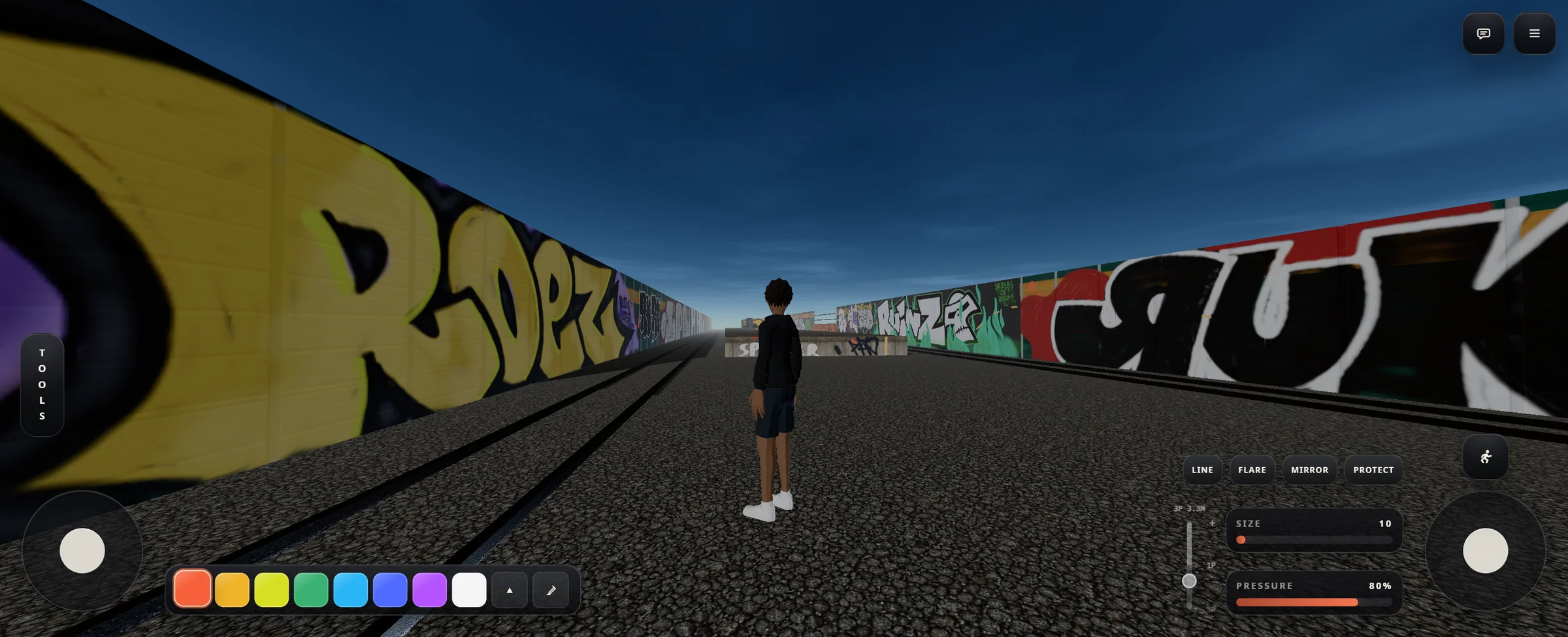
Rotate the tablet to landscape before starting. The interface places movement and look controls near the lower corners while keeping painting tools within reach. Portrait mode does not provide enough room for the world and both control areas at the same time.
Move close enough to the surface that your stroke lands clearly, then use the camera zoom control to balance precision with awareness of the whole piece.
Paint with touch or a stylus
Select a painting tool, color, size, and pressure from the HUD. Touch the wall where the stroke should begin and draw directly across the surface. The two virtual sticks remain available for moving and looking when you are not making a stroke.
A stylus is useful for controlled starts, tighter turns, and seeing the point of contact. Finger input remains available when you want broad, quick marks or do not have a pen nearby.
- Choose the surface first Position the camera so your hand can move comfortably without crossing important controls.
- Set size before detail Use a larger mark for the main shape, then reduce size when the composition is established.
- Zoom for the current task Zoom in for deliberate edges and out to check whether the full piece still reads.
- Lift between decisions Shorter intentional strokes are easier to control on glass than one continuous correction-heavy line.
Use pressure when the device supports it
Supporters can enable pressure dynamics and shape how stylus pressure affects brush size and opacity. The controls can use a global curve or different responses for supported painting tools.
Pressure only works when the stylus, operating system, and browser report pen pressure through web pointer input. If that signal is unavailable, painting still works with the size and pressure selected in the HUD.
Check the whole piece and capture it
Move back from the wall before deciding that a piece is finished. Tablet painting can pull your attention toward the area under the pen, so a wider view helps reveal weak contrast, uneven spacing, or details that disappear at normal viewing distance.
When the wall reaches a moment you want to keep, use the photo tool to frame and capture it as an artwork for your profile. The capture remains available even if the shared wall changes later.